
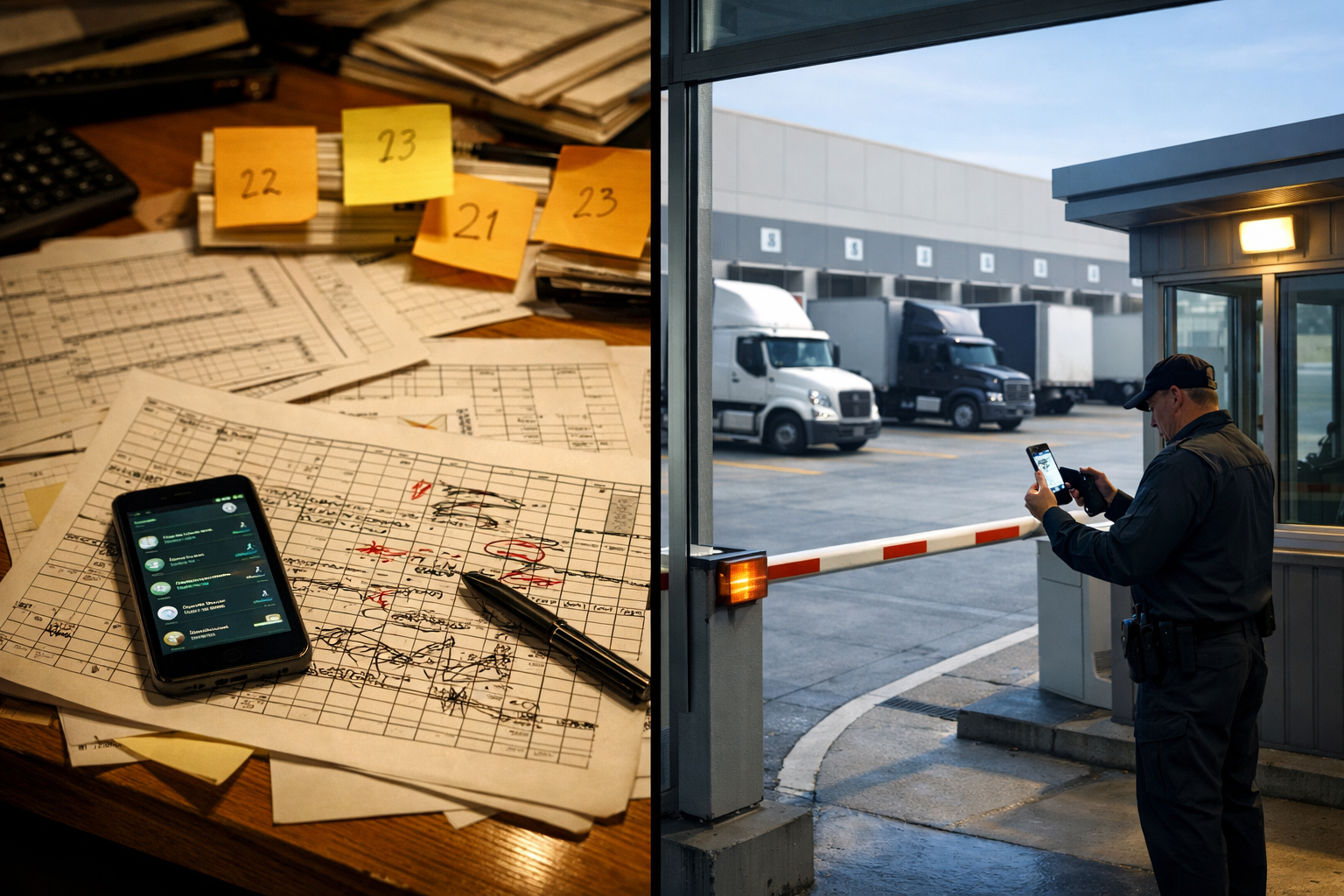
A shared Google Sheet among three coordinators sounds like a perfectly reasonable solution. It's free, everyone knows how to use it, and you've got the format ready. The problem doesn't appear until Carrier A and Carrier B book Dock 5 at 10 AM simultaneously, from two separate browser tabs.
Both show as confirmed in the file. Both arrive on time at 10 AM. The receiving team was prepped for one. The dock gets blocked for 90 minutes while the conflict is sorted out, the second truck occupies yard space, and the noon queue is already building before the issue is resolved.
The problem isn't Excel. The problem is that Excel was built to analyze data, not to coordinate live operations with three people editing the same file and forty carriers calling in.
The scheduling spreadsheet usually starts as a temporary fix. Someone builds a template, shares it on Drive, and it solves the phone chaos for a week or two. With low volume and disciplined coordinators, it holds.
The breaking point comes when volume scales, when more than one coordinator is involved, or when carriers start confirming directly via WhatsApp because the spreadsheet is hard to read on a phone. At that point the system is no longer the Excel file. It's Excel, plus WhatsApp, plus phone calls, plus whatever the on-shift coordinator happens to remember.
Each of those channels has its own state. None of them know what the others know. The result is the double-booking. Or the appointment that was canceled by WhatsApp but still shows in the sheet. Or the truck that showed up at 8 AM because it was "pending confirmation" and nobody deleted it.
When it fails, the carrier doesn't pay the cost. You do: in blocked dock time, in your receiving team standing idle, in the cascade effect that delays the rest of the shift.
This isn't a judgment on Excel as a tool. Excel does well what it was designed for. What it can't do is what a dock operation actually needs:
Each of those gaps has a cost when it fails. A double-booking blocks a dock. No advance notification leaves the receiving team unprepared. Inaccurate records eliminate any ability to prove a truck stayed longer than agreed.
Excel doesn't fail because it's a bad tool. It fails because it's a spreadsheet operating in an environment that needs a transactional system.
We built the complete 5-layer cost model in Blocked Dock: the Hidden Cost in Your Warehouse. For this comparison we use the same base case: 8 docks, 45 trucks per day, 20% overstaying their window.
With Excel as the scheduling system, the numbers shift because the underlying problem is different from paper-based operations: here the root cause is coordination failure and double-bookings, not the absence of any record at all.
| Cost layer | Monthly estimate |
|---|---|
| Idle labor from scheduling conflicts (receiving team standing still during double-bookings and cascade delays) | ~$25,400 MXN |
| Coordinator time on manual confirmation calls (200 min/day verifying, correcting, and communicating changes) | ~$4,800 MXN |
| Overtime from cascade delays at shift end | ~$5,400 MXN |
| Carrier penalties for excessive wait times (if applicable in your contracts) | ~$3,000–15,000 MXN |
| Total estimate | ~$38,000–51,000 MXN/month |
The line that stings most is coordination. 200 minutes per day, over three hours, that a coordinator spends on calls that only exist because the system can't notify on its own. Those calls don't move a truck or unload a pallet. They confirm, correct, and patch up what Excel can't do automatically.
For an estimate tailored to your operation, use the Docklyx ROI calculator. You can adjust the number of docks, daily truck volume, and conflict rate to get your actual number.
Volume threshold note: if your operation receives fewer than 15 trucks per day and has a single coordinator, manual coordination costs are low and Excel can work fine. The "Is the switch worth it?" section at the end of this article gives a direct answer.
A carrier self-booking portal eliminates the failure points one by one.
The carrier opens the portal link on their phone. Nothing to install, no account to create, no password to remember. They choose the available dock, date, and time window. The system locks that slot in real time: no other user can book it while the transaction completes. The carrier receives a QR code via WhatsApp, the same channel they already use for everything.
On the day of the appointment, they arrive at the gate with the QR. The guard scans it. The screen shows: assigned dock, driver name, plate, load type, expected arrival time. The truck enters. The system records the exact timestamp. The coordinator received no calls because there was no question to answer.
If the carrier cancels, the system releases the slot automatically and can notify the next carrier in the queue. If they arrive late, the coordinator's dashboard shows it without anyone having to call and ask.
The difference isn't just efficiency. Double-booking stops being possible at all: the slot is locked at the moment of booking, not after.
In How to Eliminate 50 Daily Carrier Calls at Your Warehouse, we break down which portion of those calls comes from confirming appointments and how much coordination time the self-booking portal frees up.
This objection comes up in almost every conversation and deserves an honest answer.
It's not a system. It's a link the carrier opens in any browser, on the phone they already have. Nothing to install, no account to create, no password to remember. The full flow for booking an appointment takes under two minutes.
The QR arrives via WhatsApp. Not through a new app, not by email, not through a portal they have to search for. It arrives to the carrier's number, through the same channel they already use to coordinate with your team. For the carrier, the experience is: I got a message with a QR, I show it at the gate, I go in.
The incentive does the adoption for you. Carriers who book through the portal go straight to their dock in 30 seconds. Carriers who arrive without an appointment wait until capacity is available. In practice, once the first carrier sees they're waved through while others wait, the word spreads on its own. Full adoption typically happens within the first week.
Carriers who prefer not to use the portal can still arrive. Docklyx doesn't force anyone. Trucks without appointments enter when capacity is available. What changes is the incentive: having an appointment is faster. That's enough.
This question deserves a direct answer, without the sales spin.
With fewer than 15 trucks per day and a single dock, Excel can work well. The number of slots is small, the probability of a double-booking is low, and a coordinator can manage the schedule without spending more than 30 minutes a day on it. In that scenario, the cost of software probably isn't justified in the short term.
The inflection point is around 20 daily trucks, especially if you have more than one dock. At that volume, the probability of at least one double-booking per week during peak hours is high. The coordinator is already spending more than an hour a day confirming and correcting. And when a scheduling conflict happens, the cascade effect disrupts the rest of the shift.
At 30 or more trucks per day, the analysis changes. It's no longer "free Excel vs. paid software." It's "$0 visible but $38,000–51,000 MXN real per month in manual coordination" against "from $4,999 MXN per month in software." Every month the switch is delayed has a measurable cost.
The right question isn't "can we keep using Excel?" It's "how much is each month that we do costing us?"
| Feature | Excel + WhatsApp | Docklyx |
|---|---|---|
| Booking an appointment | Coordinator fills the sheet or carrier texts WhatsApp | Self-booking portal: carrier picks available slot |
| Double-booking prevention | None — depends on nobody editing simultaneously | Real-time transactional lock |
| Carrier confirmation | Manual call or message from coordinator | Automatic QR via WhatsApp on booking |
| Guard visibility | None — guard calls the coordinator | On screen when scanning QR: dock, plate, load |
| Time-in-yard tracking | Doesn't exist or is estimated | Exact entry and exit timestamps |
| Cancellation or late-arrival alerts | None — carrier calls if they bother to notify | Automatic alert + slot released |
| Change traceability | None | Log with user, date, and time |
| Analytics | Not exportable with operational context | Dashboard with dwell times, occupancy, incidents |
| Visible monthly cost | $0 | From $4,999 MXN |
| Actual monthly cost | ~$38,000–51,000 MXN | From $4,999 MXN |
The last row is the number that matters. The tool with zero visible cost is the one that costs the most every month. And the software that looks like an expense is what wipes those $38,000 off the books.
The usual concern isn't the software cost. It's the idea that switching systems will disrupt the operation for days. In practice, the transition is shorter than one work shift.
Day 1 morning. The operations lead configures docks, available time windows, and load types in Docklyx. If you already have the week's appointments in Excel, they can be imported directly. Estimated time: under two hours.
Day 1 afternoon. The guard walks through the full flow: how to open the app on a tablet or phone, how to scan the QR, what to do if a driver arrives without an appointment. Estimated time: 15 minutes.
Day 2. The coordinator sends the portal link via WhatsApp to the most frequent carriers. The message is simple: "We now have an appointment system. Book from this link and you go straight to the dock. No appointment, you wait for the next available slot."
Week 1. Carriers who book go straight through. Carriers who arrive without an appointment wait. The habit forms without anyone having to push it.
Excel doesn't have to disappear overnight. It can coexist during the transition. What disappears from the first shift is the verbal coordination that Excel required to function. And with that coordination go the calls, the conflicts, and the dock-time lost to double-bookings.
For an 8-dock operation processing 45 trucks per day, the first-month savings cover the software cost several months forward. Use the Docklyx ROI calculator to calculate the specific number for your operation.
In First-Come, First-Served: Why This System Destroys Your Operation, we examine the structural cost of operating without pre-scheduled appointments, beyond the visible chaos in the 7 AM queue.
Docklyx requires no additional hardware or external consultants. Setup takes less than one shift, the guard learns the QR scanner flow in 15 minutes, and carriers adopt the portal in the first week because the incentive is clear: arrive with an appointment, go straight through.
Start free for 21 days — no credit card required
Docklyx digitizes the entire yard: appointments, check-in, docks, and real-time traceability.
Request free demo →One email per week. No spam.